

 01
01Upload your video on CocoAI
Add a video that needs clearer, higher-quality playback.
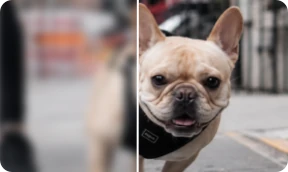
Enhance video quality to true 4K with natural clarity and original texture — cleaner footage without AI smear or over-processed frames.
01Add a video that needs clearer, higher-quality playback.
 02
02Improve video quality in one click — clarity up, natural look kept.
 03
03Check faces, textures, and motion — sharper without smear or waxy frames.
 04
04Download your result for social, recovery, or content reuse.
Enhance video quality without smear, waxy skin, or over-processed frames. Motion footage keeps real texture and detail — like a cleaner capture, not an AI re-render.
Enhance your video to true 4K. Daily free trial quality is not compressed or throttled.
CocoAI's AI Video Enhancer improves video quality and clarity in one click — original texture stays natural without smear or waxy frames.
No. Enhanced footage keeps real texture and motion detail — like a cleaner capture, not an AI re-render.
Yes. Soft short-form clips and older footage can gain clarity while preserving real detail. Portraits, anime, and live-action each get tailored enhancement.
Common video formats are supported. Duration and file size limits are shown on the workspace page. Short-form clips and footage segments work best.